Description
Features
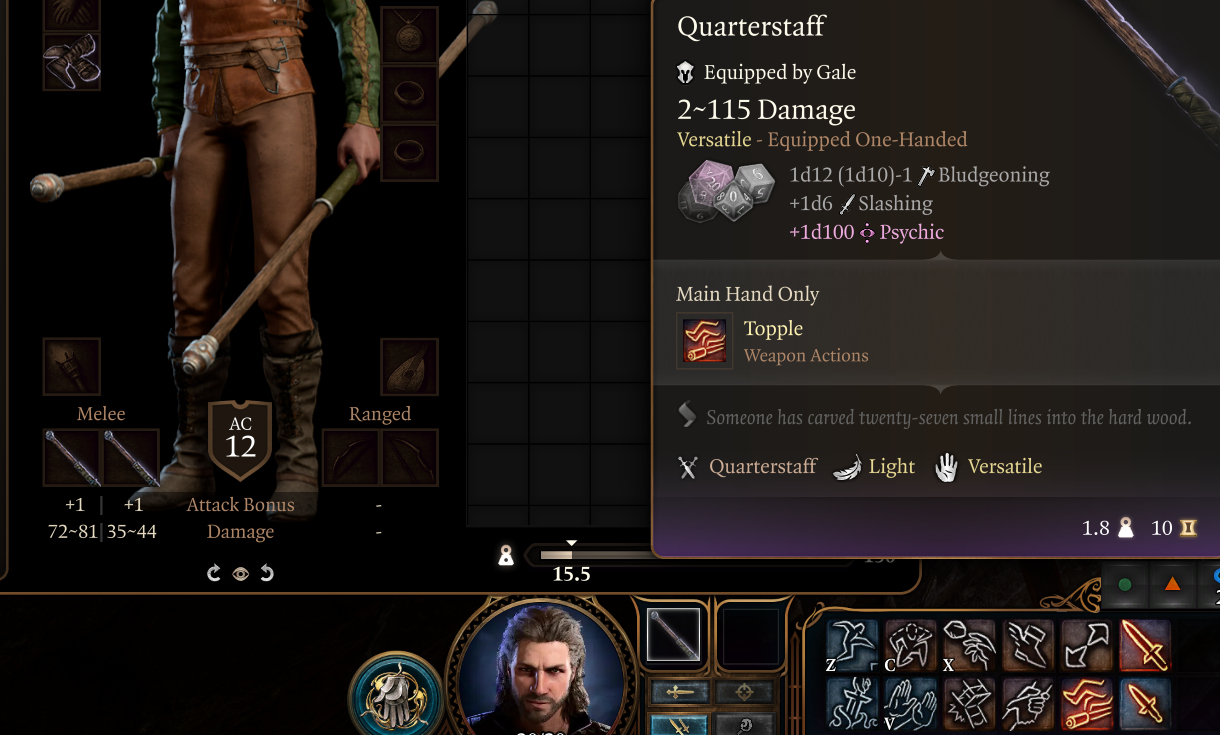
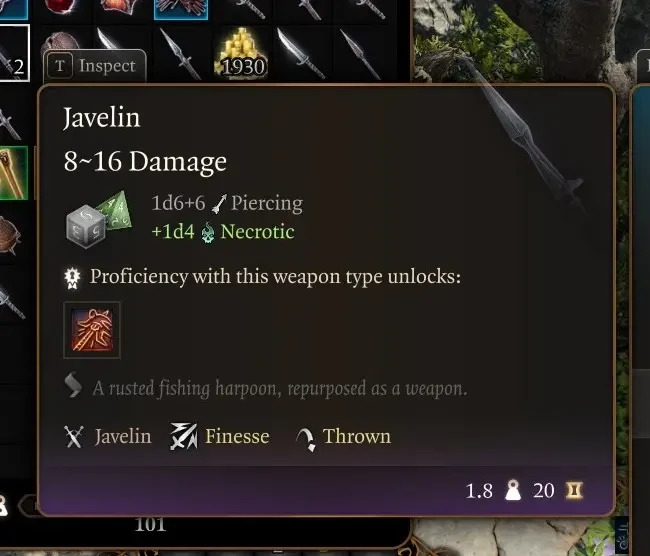
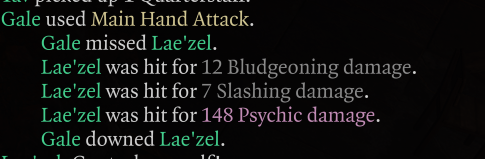
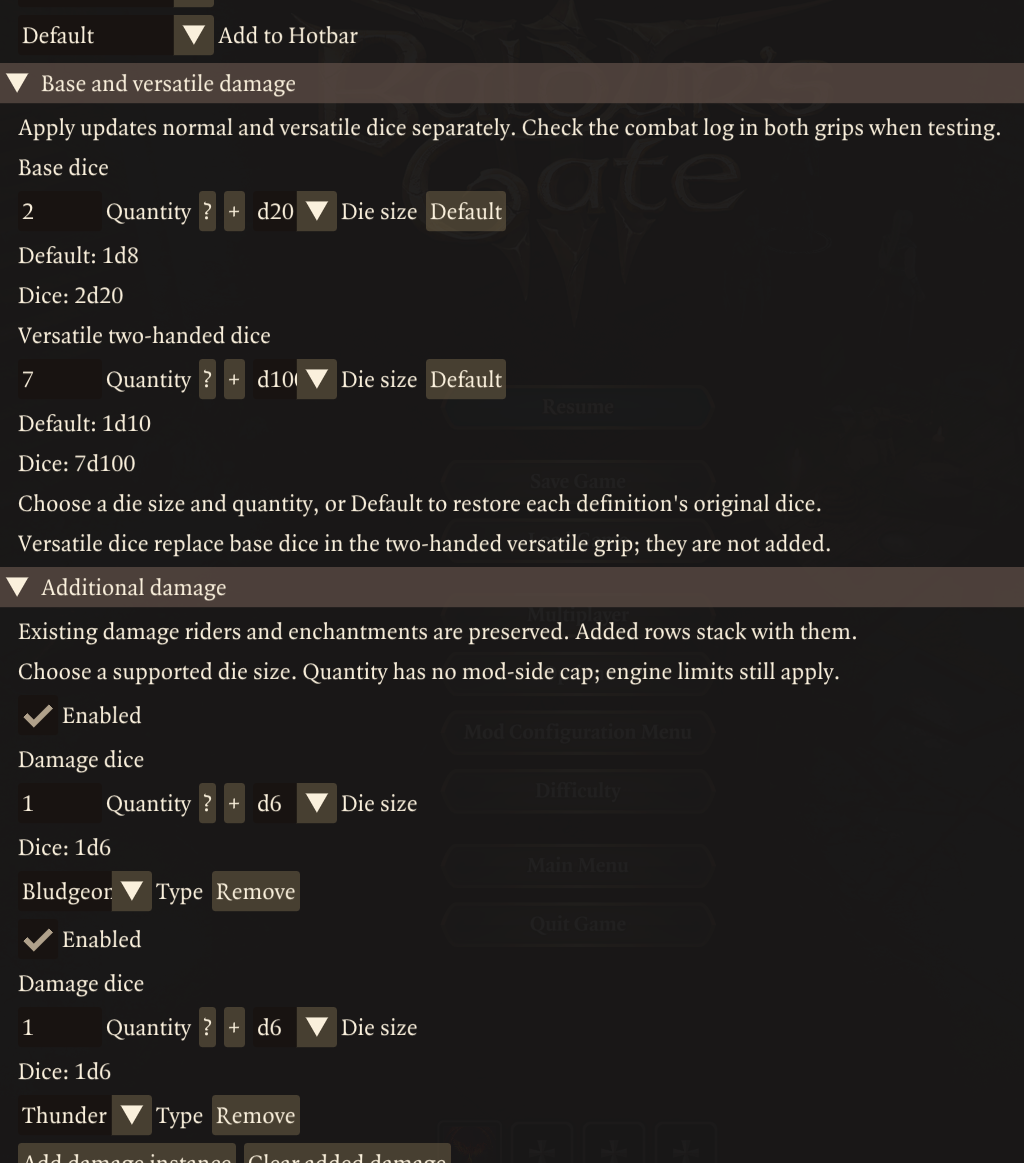
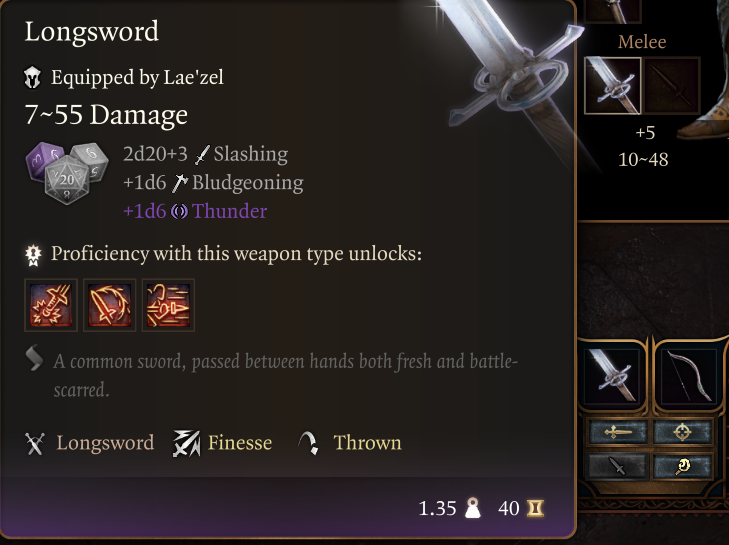
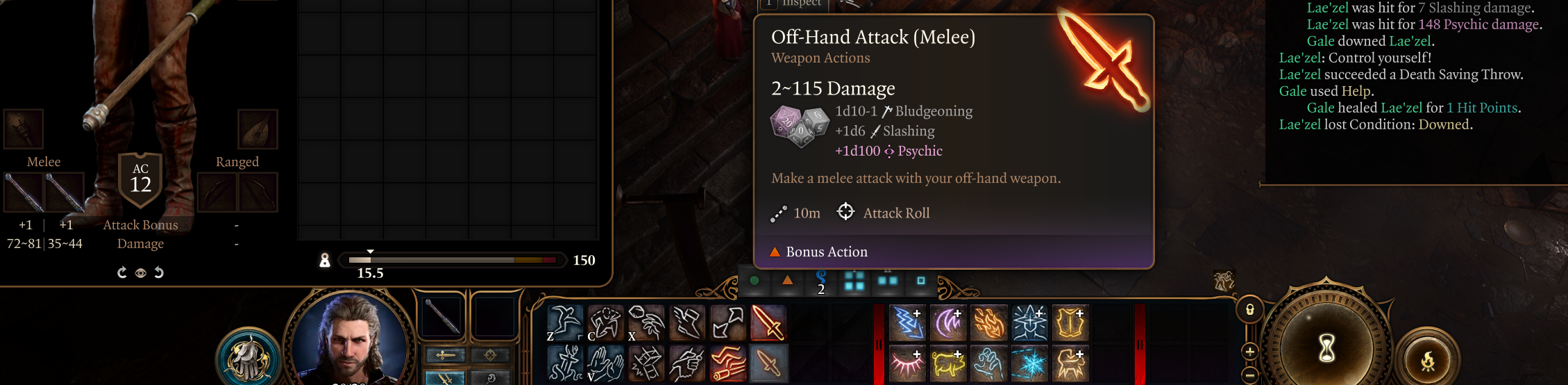
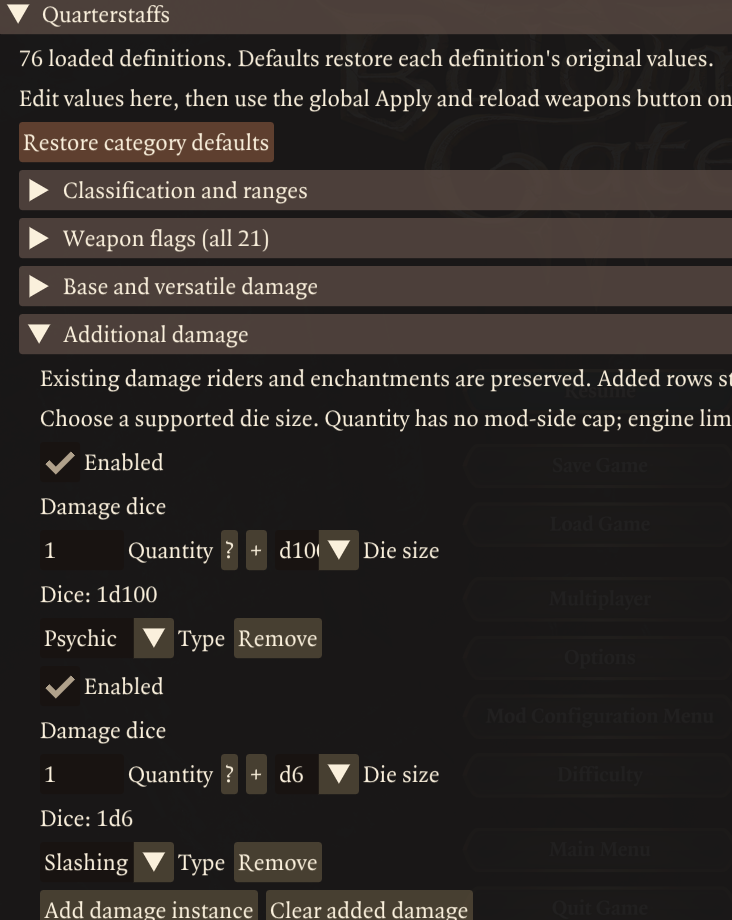
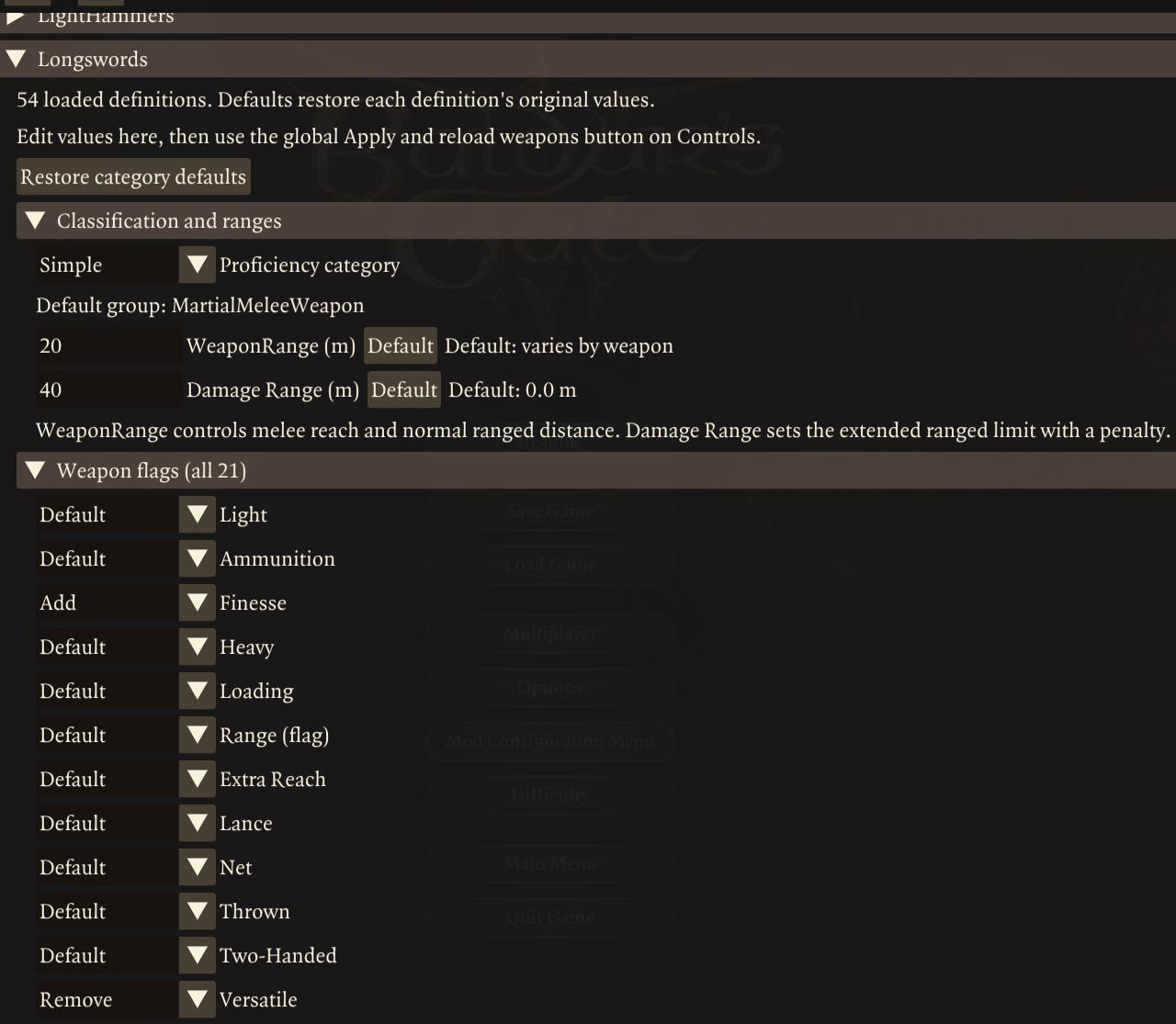
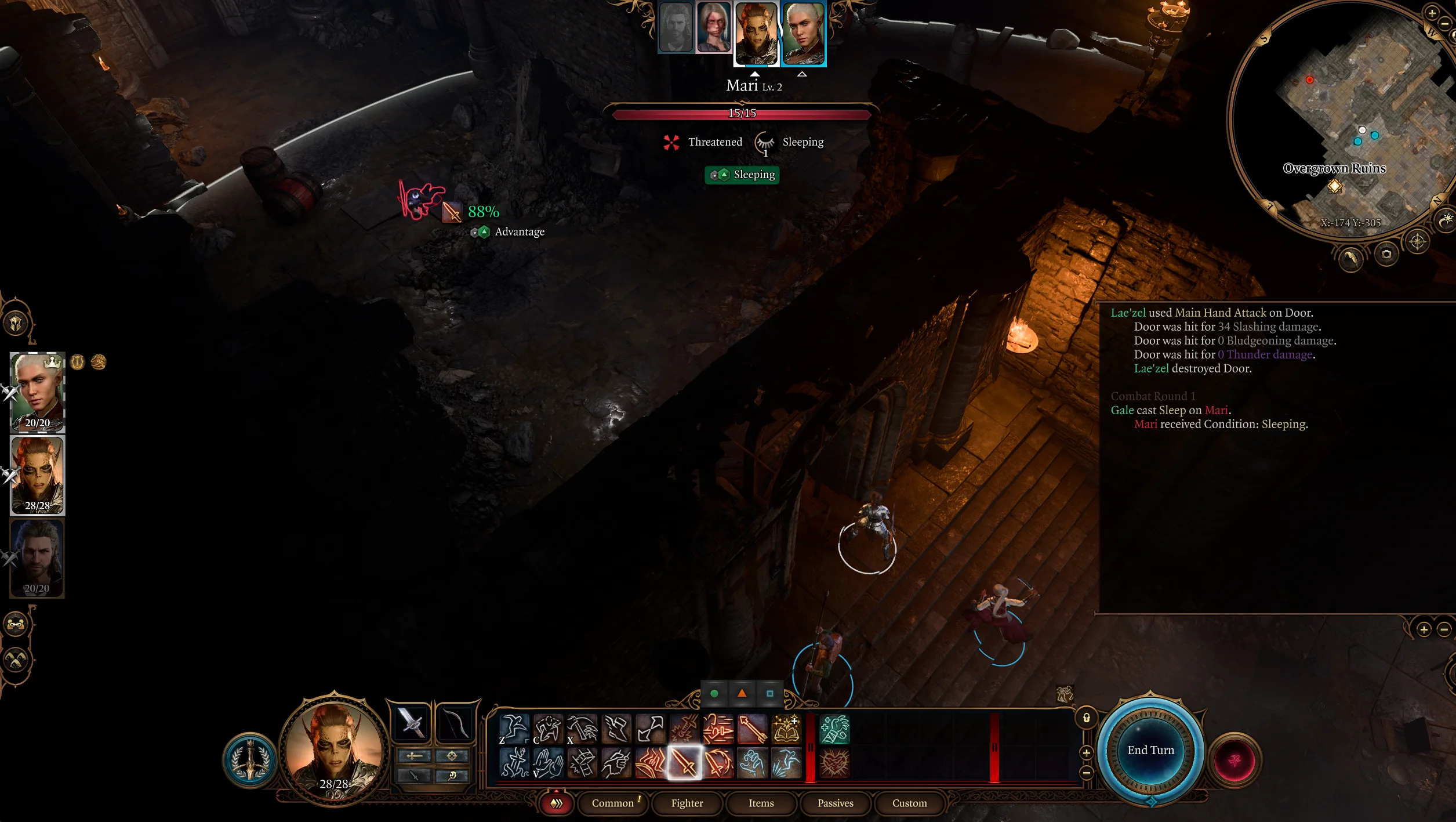
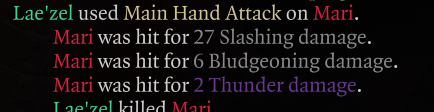
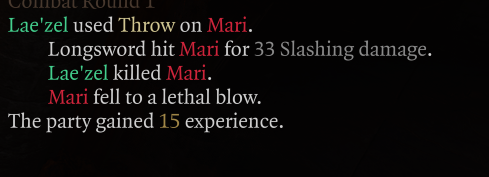
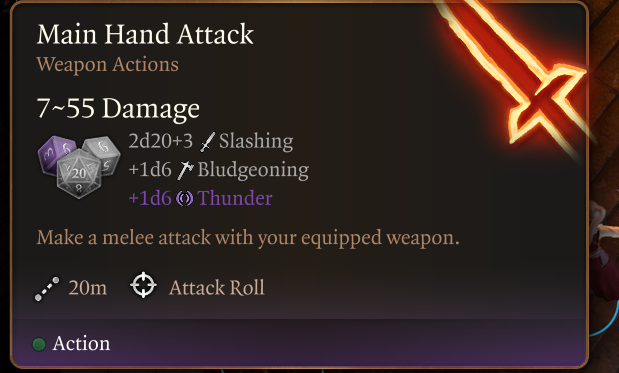
Modular Weapons lets you change weapon properties, proficiency, range and damage through Mod Configuration Menu. Changes apply at runtime to all matching weapon definitions, including weapons used by NPCs. Fiinally your longswords can be finesse weapons, your flails have extended reach and your poop knives deal poison damage or just make your greatclubs throwable and dual wieldable with slashing and psychic damage because why not?
-
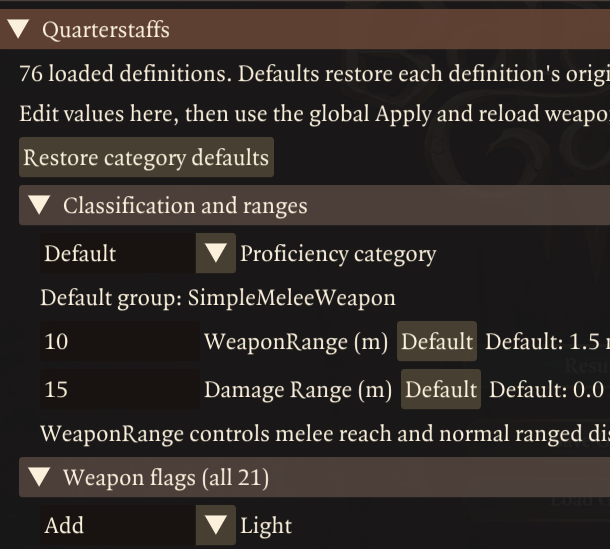
- 33 weapon categories, organised into melee and ranged tabs with collapsible, visually nested submenus.
- All 21 engine weapon flags, each with Default, Add and Remove options. Includes Finesse, Thrown, Light, Heavy, Loading and technical flags. Tooltips explain most known limitations and rules the base game does not implement.
- Simple or Martial proficiency, while retaining the specific weapon proficiency, such as Longswords.
- Normal and extended range. WeaponRange controls melee reach and normal ranged distance. Damage Range sets the extended ranged limit, where attacks suffer a penalty.
- Separate base and versatile damage dice. Choose d4, d6, d8, d10, d12, d20 or d100, with a quantity input and −/+ buttons. Versatile damage replaces base damage when using the weapon’s two-handed versatile grip. The dice sides is an engine limitation, no D3s or D1s.
- Up to 32 additional damage instances per category. Each has its own enabled toggle, quantity, die size and damage type. Supports Acid, Bludgeoning, Cold, Fire, Force, Lightning, Necrotic, Piercing, Poison, Psychic, Radiant, Slashing and Thunder. The poop knife can finally inflict necrotic or poison damage or give staves some psycic damage or just give your crossbow 100D20 force damage, i’m not your dad, go wild!
- One global Apply and reload weapons button. Edit several categories before applying, or enable automatic apply after edits. Automatic apply defaults to off.
- Restore original values per field, category or across the whole mod. Defaults belong to each weapon definition, so named weapons can retain different original values.
- MCM profile settings and diagnostic snapshots for troubleshooting.
Dependencies
-
- Norbyte’s Baldur’s Gate 3 Script Extender, version 33 or later.
- Mod Configuration Menu (MCM), version 1.41 or later. Follow MCM’s installation instructions and install any dependencies it requires.
- BG3 Mod Manager is recommended for installation and managing the load order. Dependencies are downloaded separately. However theoretically vortex or manual installs should work fine.
Installation
-
- Close Baldur’s Gate 3. Install Script Extender and MCM first.
- Import this release ZIP into BG3 Mod Manager, or extract
ModularWeapons.pakdirectly into%LOCALAPPDATA%\Larian Studios\Baldur's Gate 3\Mods. Keep the .pak directly in the Mods folder. If updating, remove the previousWeaponTagsPOC.pak. - Activate Modular Weapons and place it after MCM in your active load order. Save and export the load order to the game.
- Launch the game and load a save. Open MCM with Insert, or through the Escape menu, then select this mod.
- Open Melee weapons or Ranged weapons, expand a category and edit its settings. Open Controls and click Apply and reload weapons to commit your changes.
To apply edits automatically, enable Automatically apply and reload after edits on Controls. Otherwise, edits remain drafts until you apply them. Closing MCM keeps drafts for the current session; loading a save or switching MCM profiles discards unapplied drafts. Reset buttons also need to be applied when automatic apply is off.
Compatibility notes
-
- Category-wide changes: every matching weapon definition is affected, including named weapons and NPC equipment. That means most unique weapons will still have their unique stat and property changes along with damage riders, but should inherit the fields from the base weapon which the unique weapon doesn’t overwrite.
- Modded weapons: weapons using vanilla implementations and proper tags are automatically compatible. Categories such as darts and slings are exposed for mods that add them.
- Other weapon mods: Will ussually be compatible. Im unsure of how the defaults will behave, whether they use the vanilla stats or newly modded stats as defaults.
- Existing damage effects: native enchantments and damage riders are preserved. Damage added through this menu is tracked separately so it can be updated or removed. Mods that add anonymous base/item-source weapon damage outside the weapon definition may need compatibility testing.
- Profiles: settings belong to the selected MCM profile and can affect multiple saves using that profile.
- Multiplayer: In theory this should work in multiplayer, using the hosts settings. But i havn’t tested it.
Engine Restrictions
-
- Some weapons were obviously never intended to have certain stats or tags etc.. So expects things to behave weirdly if you go too crazy. That said, during my testing, the engine has been pretty good at handling modifed weapons.
- Some tags dont seem to do anything noticeable and likely wern’t implmented by larian (Lance, Heavy, Loading etc…) I still included them for compatibility with mods that do implment them or vanilla edgcases im unaware of.
- Versatile, light and twohanded mostly work as a expected. But expect some odd behaviors and animations. Bow animations wern’t designed for one handing and two handing a dagger might look weird etc…
- Dice limits: unsupported faces such as d3, d5 and d7 cannot be selected. Quantity has no mod-side upper cap, but native cached dice counts use an 8-bit field; values above 255 may fail or produce different results.
Sharing configurations
You can share your settings by sending another player this mod’s settings.json file.
-
- Set up your weapons, click Apply and reload weapons, then close BG3.
- Open
%LOCALAPPDATA%\Larian Studios\Baldur's Gate 3\Script Extender\BG3MCM\Profiles\<profile name>\WeaponTagsPOC. Replace<profile name>with the MCM profile you’re using, usuallyDefault. Send thesettings.jsonfile from that folder. - The other player needs the same version of Modular Weapons and its dependencies installed. If their settings folder doesn’t exist yet, they should launch the game, load a save and open this mod in MCM once, then close BG3.
- With BG3 closed, they should back up their own
settings.json, then replace it with your file in the same folder under their chosen MCM profile. - They can then launch BG3, load a save, open Modular Weapons in MCM and click Apply and reload weapons.
This shares the saved weapon settings and the automatic-apply preference. It replaces this mod’s settings for that MCM profile. Settings left on Default use the other player’s original weapon definitions, so different weapon mods can give different results.


Reviews
There are no reviews yet.