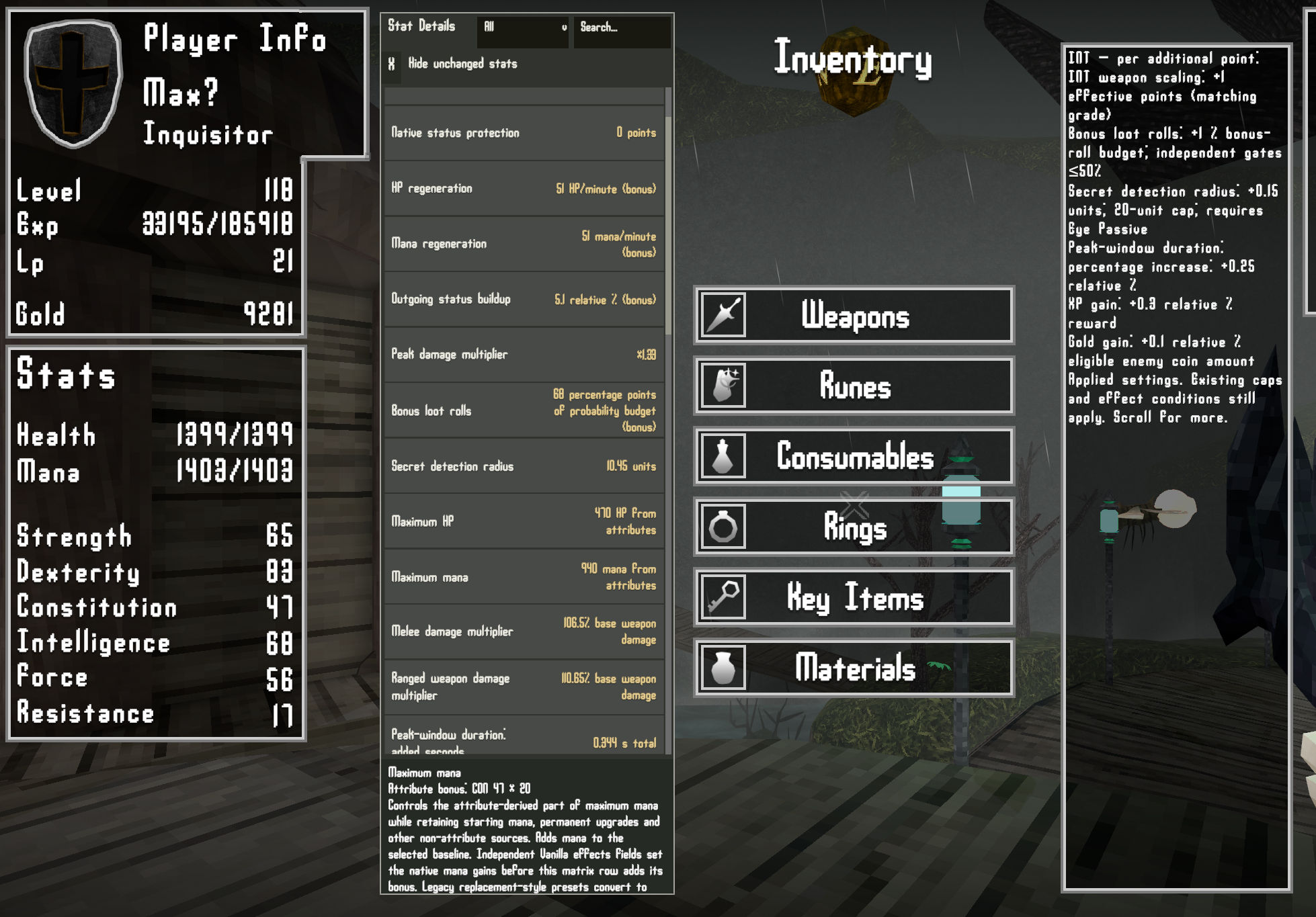
Choose how each Verho attribute affects your character. Attribute Scaling Matrix gives you a configurable table of effects for Strength, Dexterity, Constitution, Intelligence, Force and Resistance. Set each attribute’s contribution, save and switch between shareable presets, and use the optional Digineaux overhaul as a ready-made starting point.

How it works
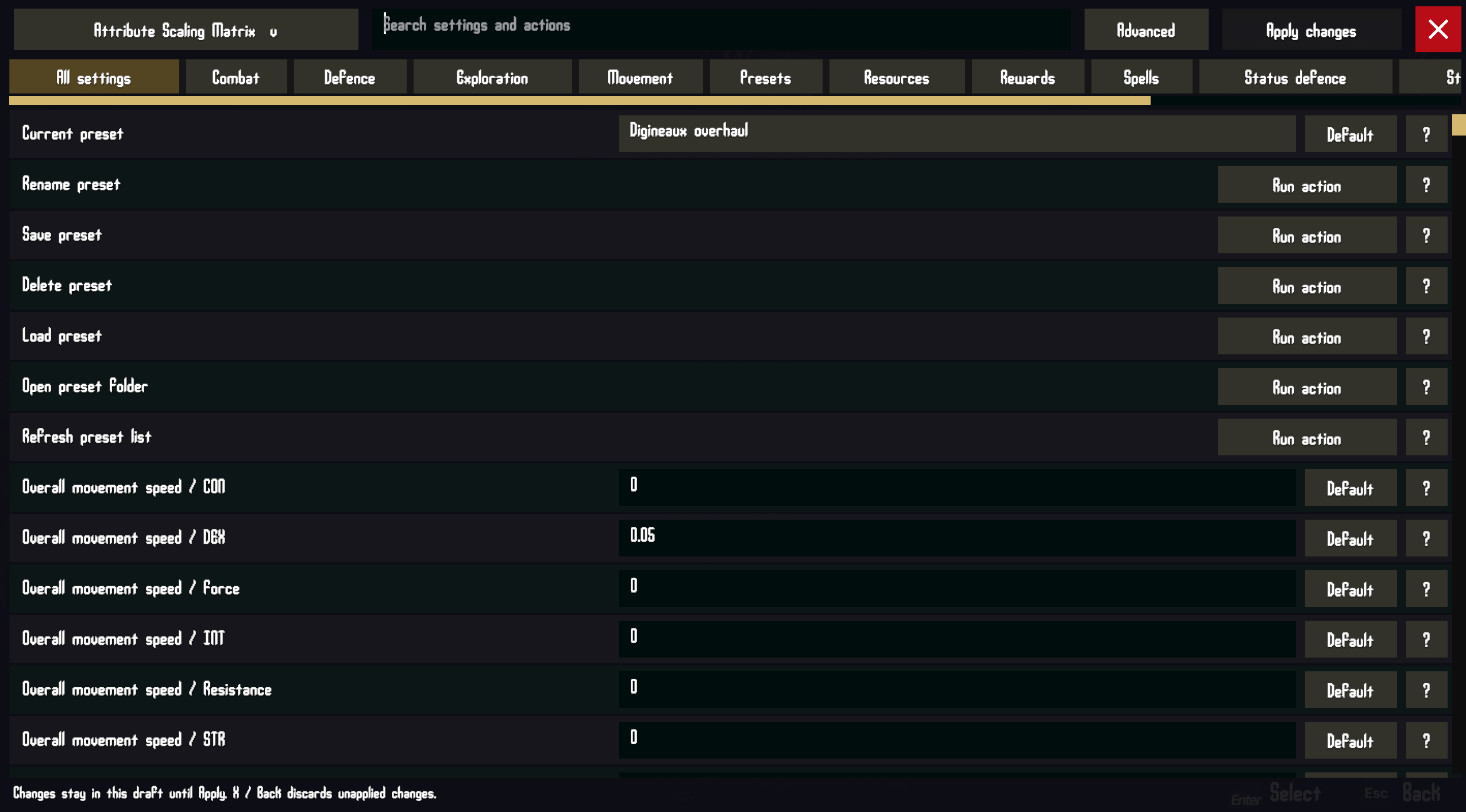
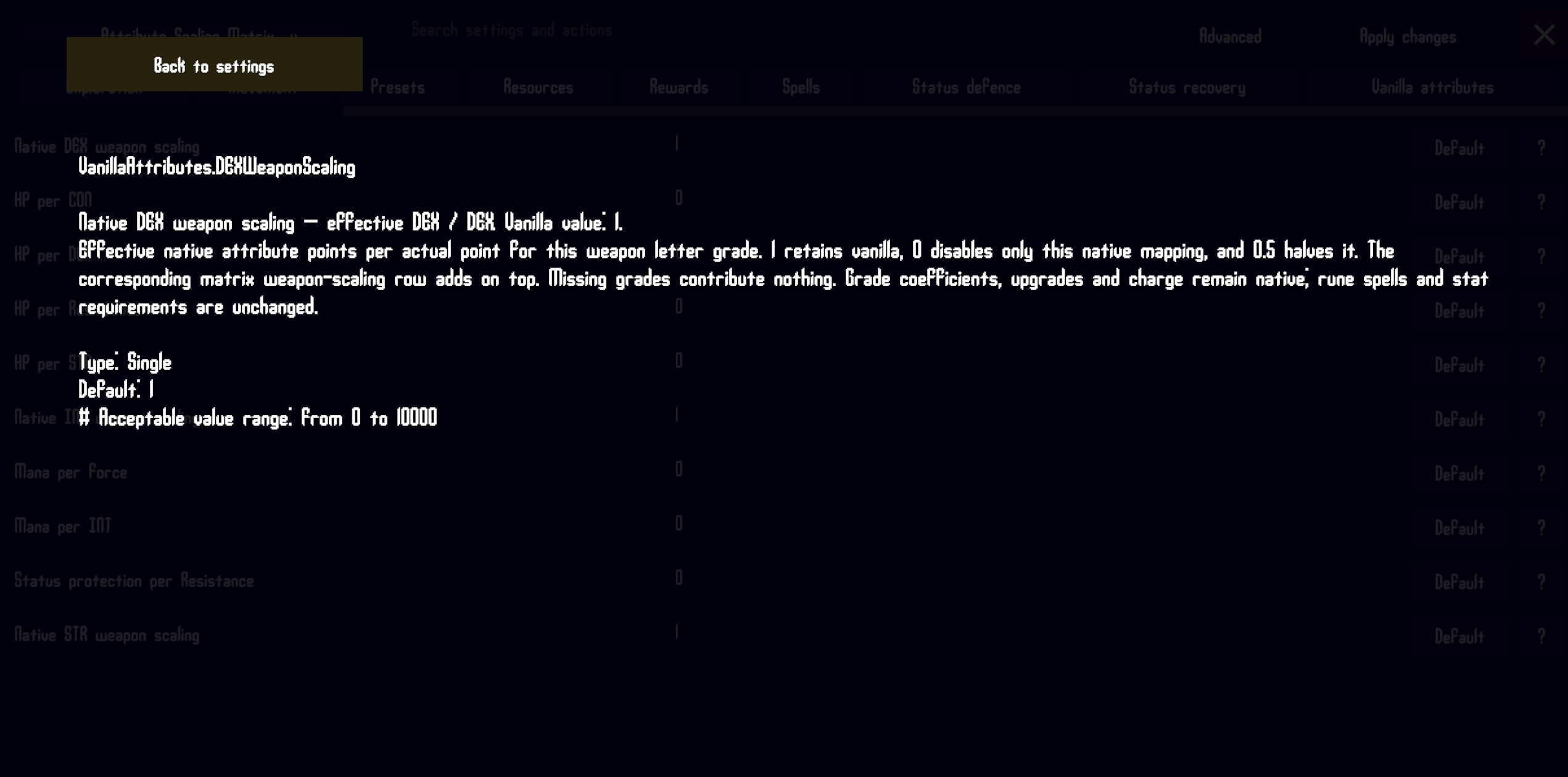
- Attribute matrix: assign a decimal value for each effect and attribute. The value is applied once per point of that attribute. For example, setting 0.05 movement per DEX gives 5% at 100 DEX or 0.05% per DEX. The settings have detailed tooltip explanations in game if you are using the MCM mod.
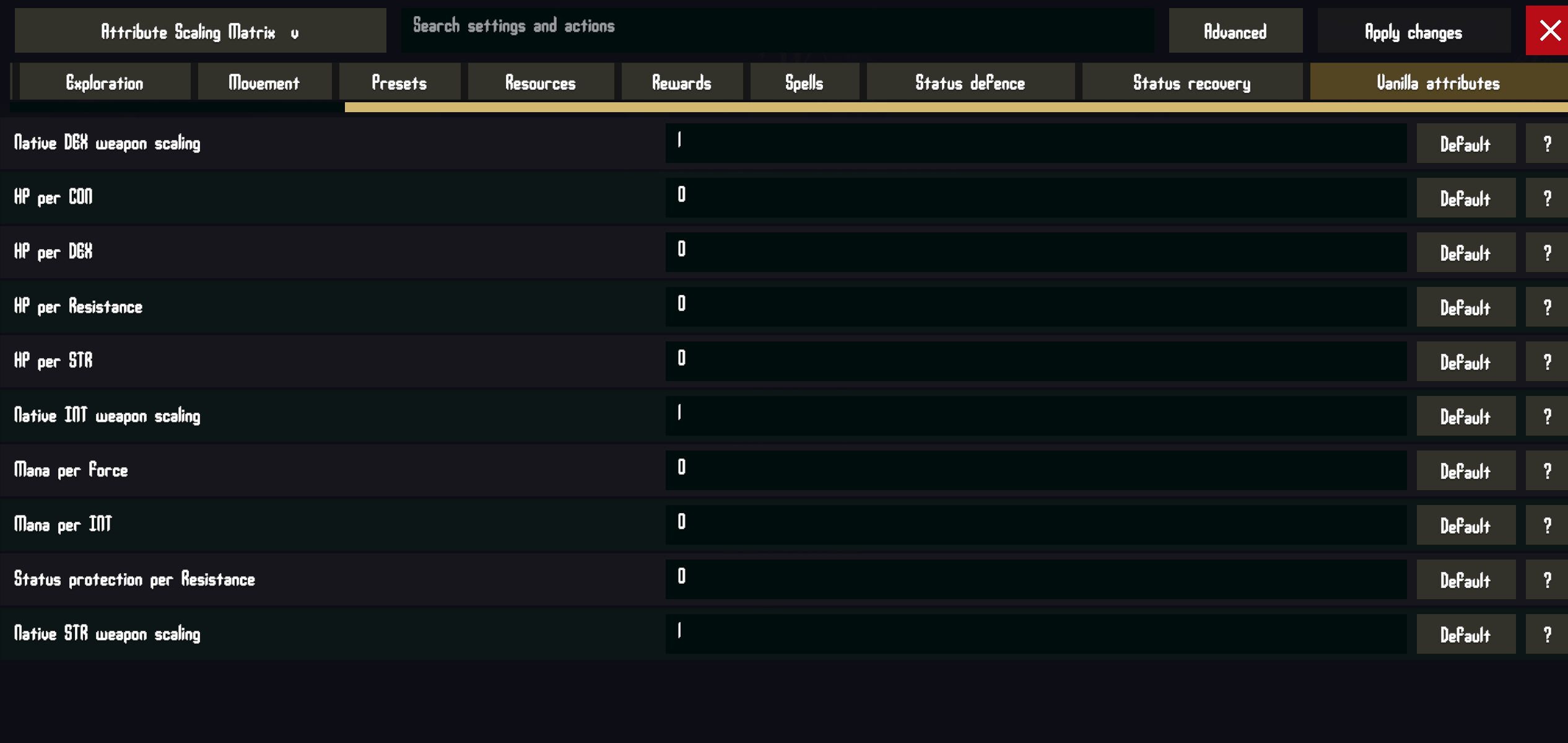
- Vanilla attribute settings: independently set the original HP, mana, weapon-scaling and Resistance contributions. Leave them at their defaults to retain vanilla attribute behavior.
- Presets: select, rename, save, load, delete and share named settings. Presets apply globally across characters.
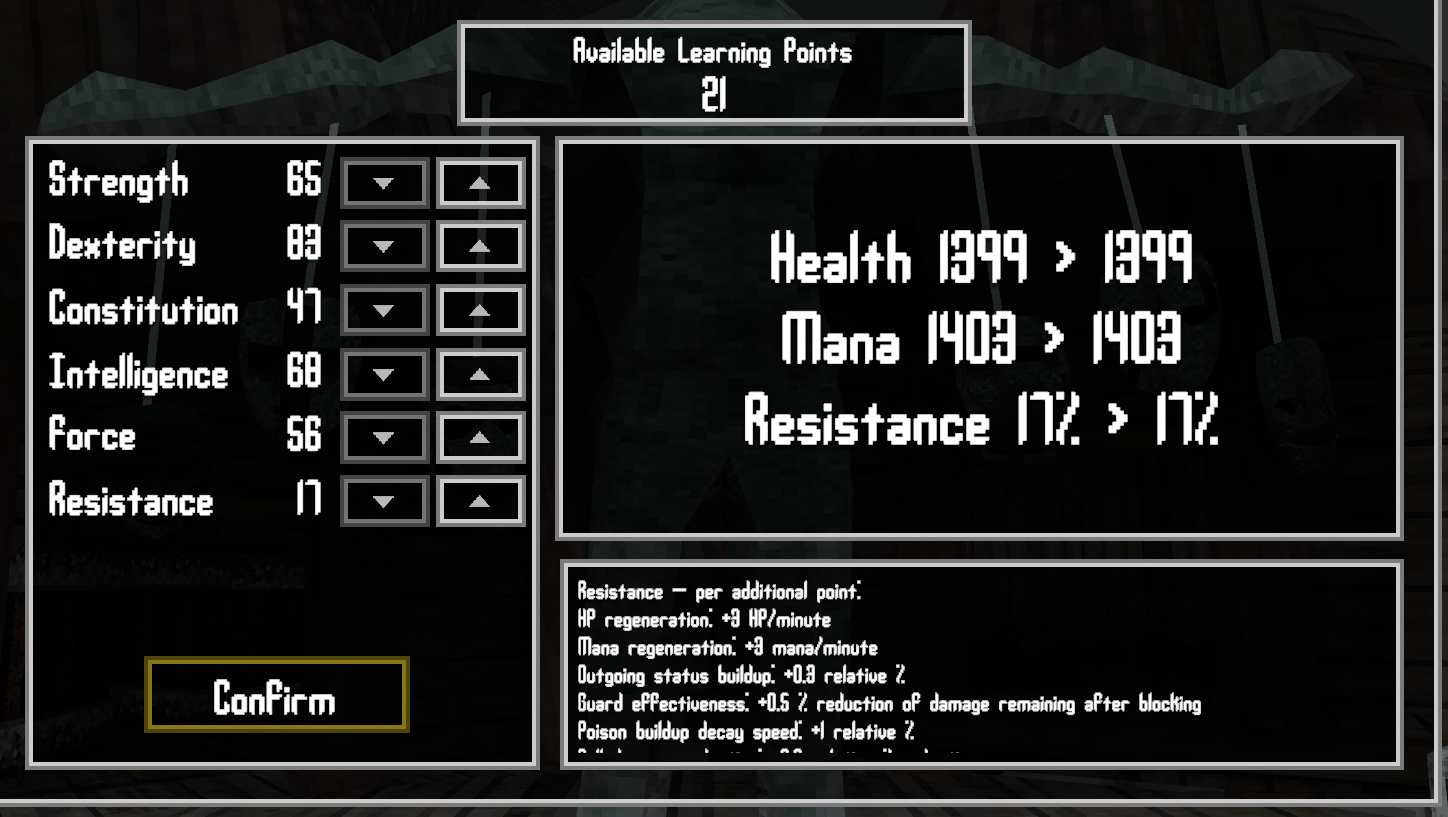
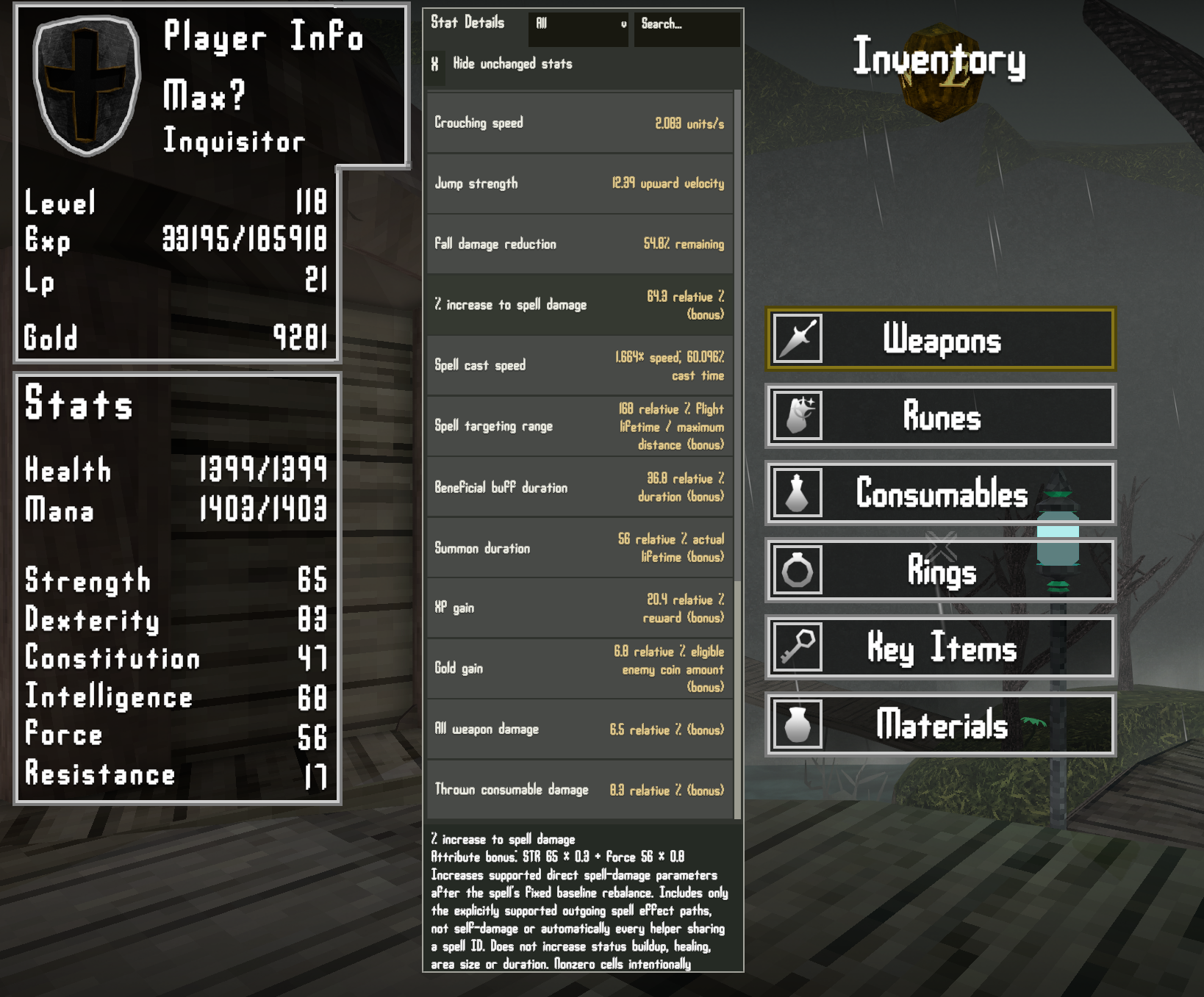
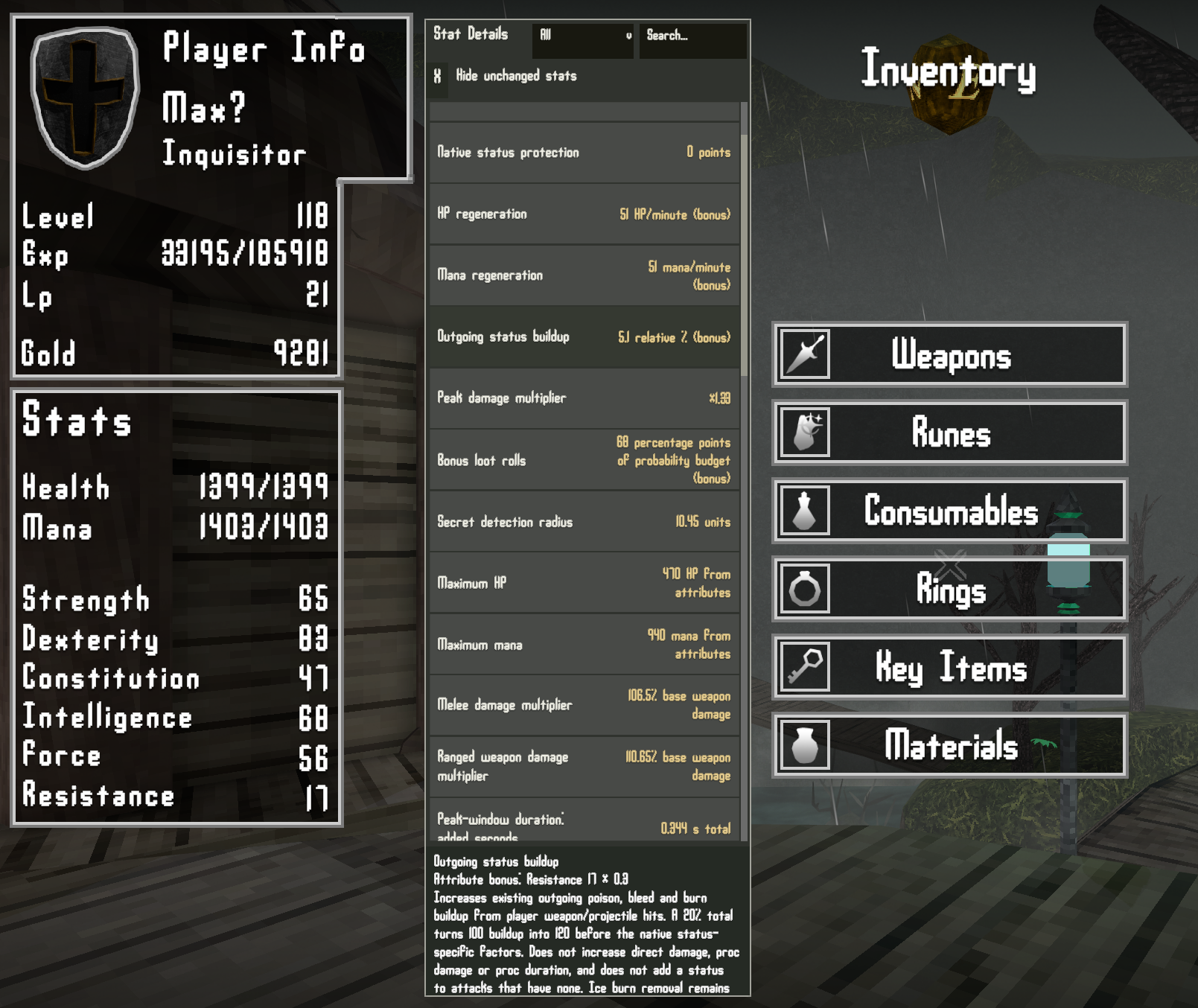
- Stat Details: the inventory overview can show the effects currently changed by your settings, with search, categories, descriptions and per-attribute breakdowns. Attribute descriptions in the inventory and level-up menu list their assigned effects.
Percent values are entered in percentage points: 0.2 means 0.2% per attribute point. Some effects use different units, such as HP per point, units of secret-detection radius or a flat addition to the peak damage multiplier. Their descriptions explain the calculation and any limits.
Presets
Vanilla attributes
Vanilla attributes is the default preset. It leaves the additional Matrix effects at zero and uses the game’s original attribute contributions. Installing the mod does not automatically apply the Digineaux overhaul.
Digineaux overhaul (optional)
This is an included, optional preset that I personally played with and balanced. It helps make each stat relevant for most playstyles and massively boosts the otherwise pointless CON and RES stats.
- STR — damage: +0.1% to all weapon damage and +0.002 to the peak damage multiplier per point. STR also adds +0.3% spell damage and +0.05% jump strength per point. In vanilla this gives weapon damage for the msot powerful weapons and hp, making it stupidly overpowered. Now it’s more specialized in the damage role, with a nice exploration/evasion boost.
- DEX — speed and mobility: +0.05% movement, +0.8% casting speed, +0.05% ranged weapon damage, +0.1% thrown damage, and +1% slow buildup decay per point. DEX also extends the peak damage timing window by 0.25% per point. This helps allow ranged and consumable weapons stay relevent while synergizing with mobility to keep foes at bay. It is designed to encourage and reward the mor tactile combat mechanics.
- INT — observation and exploration: +0.3% experience, +0.05 units of secret detection radius, +0.1% gold gain and +1% bonus loot-roll chance per point. INT also extends the peak timing window by 0.25% per point. Uniquely, this is more of a long term investment, than an imemdate combat buff. gold, loot and consumables means mroe levels, more consumables and more upgrading and buying equipment, for indirect combat buffs. more int you have earlier, the stronger you will be by end game.
- Force — spellcasting: +0.8% spell damage, +3% spell targeting range, +1% summon duration, +1% stun buildup decay and +0.2% buff duration per point. Makes spellcasting relevant as a specialty. in vanilla spells do less damage than weapons, despite having far less range, damage and uses.
- Resistance — recovery and miscellaneous: +3 HP and +3 mana regeneration per minute, +0.3% outgoing status buildup, +1% poison buildup decay, +0.5% guard and +0.3% fall-damage reduction per point. Resistance also adds +0.4% buff duration. Making this far more of a defesnive specialty, encouraging slower paced tactical play. This stat benefits from long term exploration with it’s regen and high levels might even allow you to discard your potions all together.
- CON — health and reserves: +10 maximum HP, +20 maximum mana, +0.5% fall-damage reduction, +0.4% buff duration and +1% bleed buildup decay per point. Still a bit a boring, but much more useful and worth spending elvels on.
The Digineaux preset disables the vanilla attribute-based HP and mana gains and the native Resistance-based status protection. It keeps the vanilla STR, DEX and INT weapon-grade scaling at 1, so weapon letter grades continue to work normally.
At 100 points, for example, the preset provides +10% all-weapon damage from STR, +5% ranged damage and +10% thrown damage from DEX, +0.2 to the peak multiplier from STR, and +300% spell targeting range from Force. Spell targeting range affects supported projectile lifetimes and maximum distances. Bonus loot is made through additional independent rolls of the enemy’s regular item table, so an extra roll can still produce no item.
Requirements
BepInEx 5 is required. The mod was built for Verho: Curse of Faces and tested with BepInEx 5.4.23.5 on Windows x64. Harmony is included with BepInEx. Download BepInEx from the official 5.4.23.5 release.
For the tested setup, BepInEx must use HideManagerGameObject = true under [Chainloader] in BepInEx/config/BepInEx.cfg. This is a BepInEx configuration setting.
MCM is optional. Without it, the mod loads and runs using BepInEx configuration. With it, standard settings are available through the in game menu, along with the Matrix preset actions. MCM is not required to install, launch or use the mod.
Eye of Secrets Passive is optional and only needed if you want to use secret-detection radius scaling feature.
Installation
Use Verho Mod Manager to import the mod ZIP, or install it manually:
- Close Verho. Back up your saves if you want a recovery copy. They are stored under
%USERPROFILE%/AppData/LocalLow/Kasur Games/Verho. - Install BepInEx 5 if it is not already installed, then start the game once and close it to let BepInEx create its configuration.
- Extract the Attribute Scaling Matrix ZIP into the folder containing
Verho.exe, merging the includedBepInExfolder. - Launch Verho. The mod creates its configuration and the Vanilla attributes default preset automatically. MCM is needed only if you want its in-game configuration interface.
The DLL should be at BepInEx/plugins/AttributeScalingMatrix/Verho.AttributeMatrix.dll. Keep one copy of the mod DLL under BepInEx/plugins.
Changing settings without MCM
Close the game before editing configuration files. The main BepInEx settings file is BepInEx/config/local.verho.attributematrix.cfg. Presets are stored in BepInEx/config/AttributeScalingMatrix/presets/. Use the standard settings entries to adjust values, or copy and share a preset file with another player. The next game launch reads the saved configuration.
When MCM is installed, choose a preset from the preset dropdown and apply it. Editing the numeric settings does not save them to the preset file automatically: use the preset actions to save or load the named settings.
Compatibility notes
- Settings apply globally across characters.
- The Matrix changes attribute-derived values. It does not remove the game’s stat requirements; use my stat requirements mod if you want those changed.
- Higher maximum HP or mana does not refill current resources. They should properly preserve max hp and mana buffs from the ingame consumables and accross respecs. I didn’t notice nay issues during my playthroughs.
Uninstall
Close Verho and remove BepInEx/plugins/AttributeScalingMatrix/Verho.AttributeMatrix.dll, or disable/remove the package through Verho Mod Manager. Configuration and preset files can be kept for a future reinstall or deleted separately. MCM and BepInEx can remain installed for other mods.
Leave a Reply