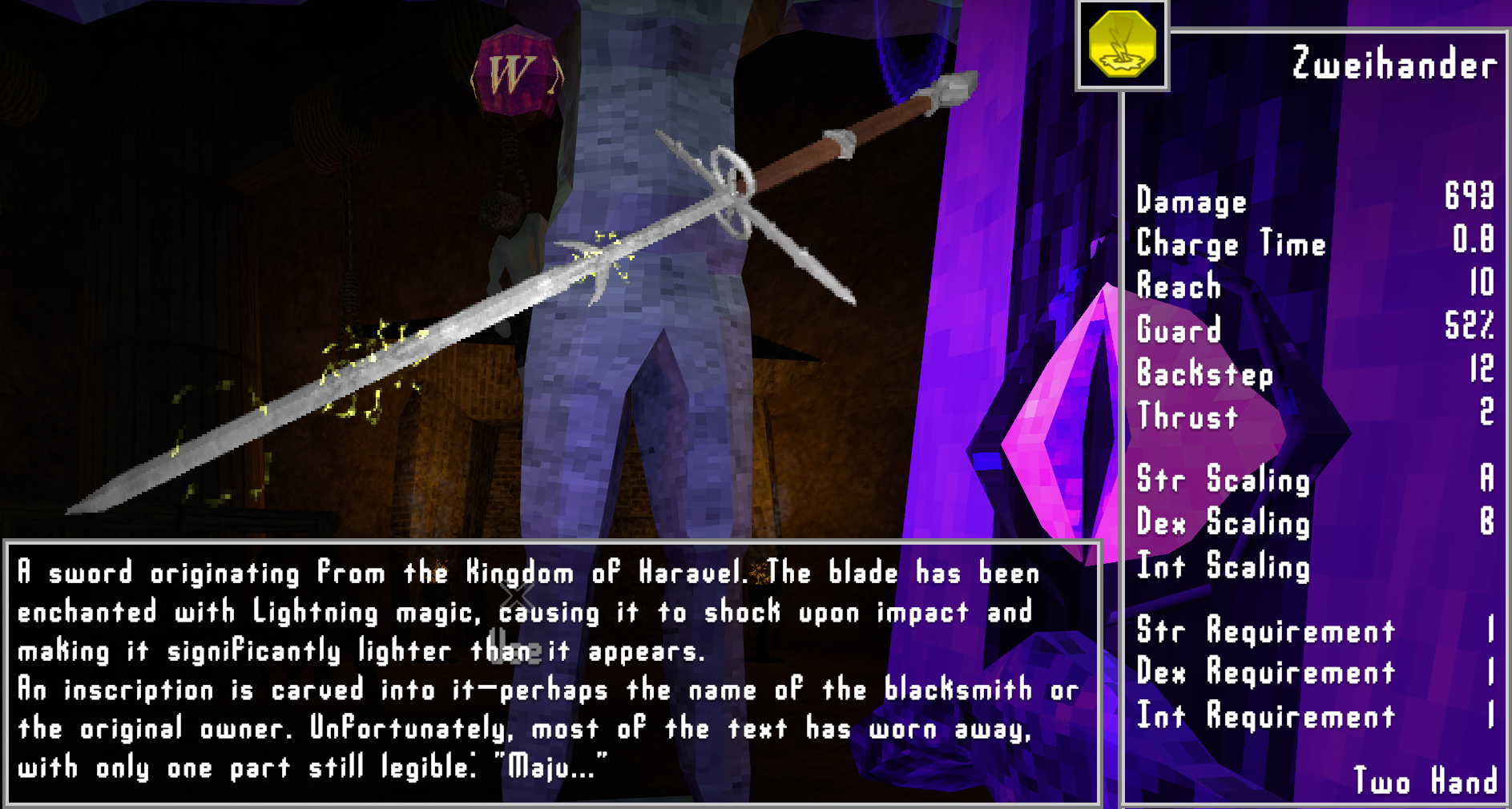
Remove or lower weapon and spell stat requirements in Verho – Curse of Faces. Set a maximum requirement for weapon Strength, Dexterity and Intelligence, and spell Intelligence. Each category has its own setting. All four default to 0, removing those requirements.
Downloads
How the settings work
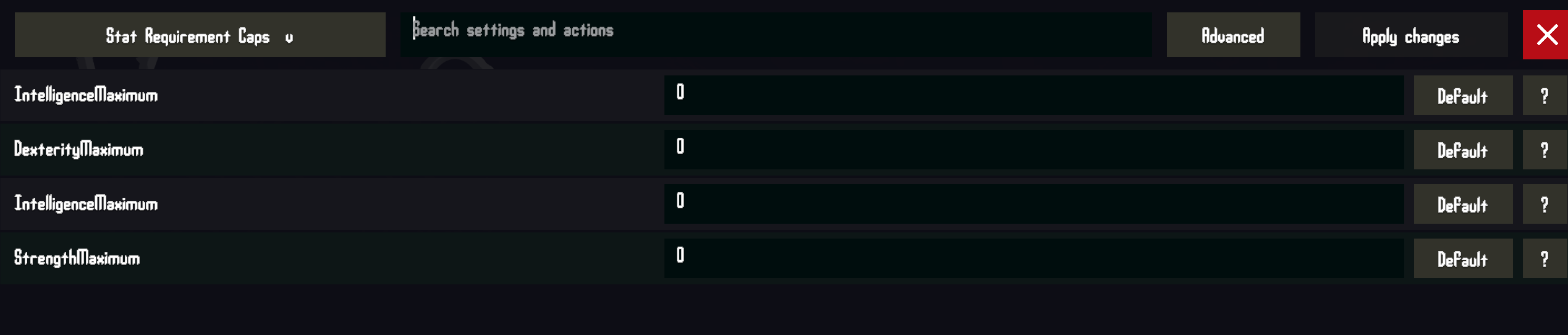
- Weapons / StrengthMaximum: maximum Strength requirement for weapons.
- Weapons / DexterityMaximum: maximum Dexterity requirement for weapons.
- Weapons / IntelligenceMaximum: maximum Intelligence requirement for weapons.
- Spells / IntelligenceMaximum: maximum Intelligence requirement for spells.
A cap of 0 removes that requirement. A cap of 10 reduces an original requirement of 25 to 10, while an original requirement of 5 stays at 5. Existing zero requirements stay zero. Raising a cap restores requirements up to their original values.
The caps apply to equip checks and the requirement text in your inventory, shops and weapon upgrade previews. They cover weapons and spells you have not collected yet, including New Game Plus items. Your character’s attributes, damage scaling and spell costs stay the same.
Requirements
Built for and tested on the Windows x64 Steam version of Verho, build 21853371. The GOG version should theoretically work, but has not been tested.
BepInEx 5, Windows x64 is required. Tested with 5.4.23.5. Download BepInEx_win_x64_5.4.23.5.zip from the official BepInEx release page. Harmony is also required and is included in that download.
Verho Mod Configuration Menu is required for editing settings in-game and reccomended. But is otherwise optional.
Installation
Use My mod manager or follow the manual steps:
- Close Verho and open the folder containing
Verho.exe. - If BepInEx is not already installed, extract its Windows x64 ZIP into that folder. Start the game once to generate its config files, then close it.
- Open
BepInEx/config/BepInEx.cfgin a plain text editor. Under[Chainloader], setHideManagerGameObject = true. The two lines are shown below. Preserve other settings and avoid duplicate sections. - If upgrading from the old releases, remove One Stat Requirements and any of the four separate No Weapon STR / DEX / INT Requirement or No Spell Requirements DLLs from
BepInEx/plugins. This version replaces them and will not load alongside them. - Extract
StatRequirementCaps-ReleaseCandidate.26.10.26.zipinto the folder containingVerho.exe, merging theBepInExfolders when prompted. - Start Verho. All four caps default to 0. If you already used the configurable version, your saved settings are kept.
[Chainloader]
HideManagerGameObject = true
The installed DLL should be at BepInEx/plugins/StatRequirementCaps/Verho.StatRequirementCaps.dll. Keep only one copy under BepInEx/plugins.
Changing the caps
In-game: with Verho Mod Configuration Menu installed, open Mod Settings from the main or pause menu and select Stat Requirement Caps. Enter whole numbers of 0 or higher and click Apply changes. The settings span two pages; use Next > to reach weapon Strength.
Applied MCM changes take effect on subsequent equip checks and requirement display refreshes, and are saved for the next launch. Default stages 0 for that setting; click Apply to save it. Cancel / Close discards changes you have not applied.
In Verho Mod Manager: launch the game with the mod enabled once to generate its config, then close the game. Open Settings on the mod’s row, edit the caps and save. Changes apply the next time you launch Verho.
Without either settings tool: close the game and edit BepInEx/config/local.verho.statrequirementcaps.cfg. Keep the generated comments so the manager can identify the setting types and valid ranges. These are the four entries, shown with their defaults:
[Weapons]
StrengthMaximum = 0
DexterityMaximum = 0
IntelligenceMaximum = 0

[Spells]
IntelligenceMaximum = 0
Uninstall
Unequip weapons you will no longer meet the original requirements for and save before uninstalling. Close Verho, delete BepInEx/plugins/StatRequirementCaps, then restart the game. If using Verho Mod Manager, disable or uninstall the mod there and use Play Verho to update the deployed files.
The original weapon and spell requirements return unless another mod changes them. No save editing, rollback or additional cleanup is required. This mod does not rewrite original item definitions or your character’s attributes.
You can keep the config file for a future reinstall, or delete BepInEx/config/local.verho.statrequirementcaps.cfg to start with default caps next time. BepInEx and either settings tool can stay installed for your other mods.
What’s new in this version
ReleaseCandidate.26.10.26 uses standard BepInEx settings for both the desktop mod manager and in-game MCM. MCM is now optional. The four caps, default values and existing saved settings are preserved.
4 seperate files that can be used together or on their own in any combination. Each sets it’s assigned attribute requiremnts for weapons to 0. The spell file of course setting spell requirments to 0.
Leave a Reply