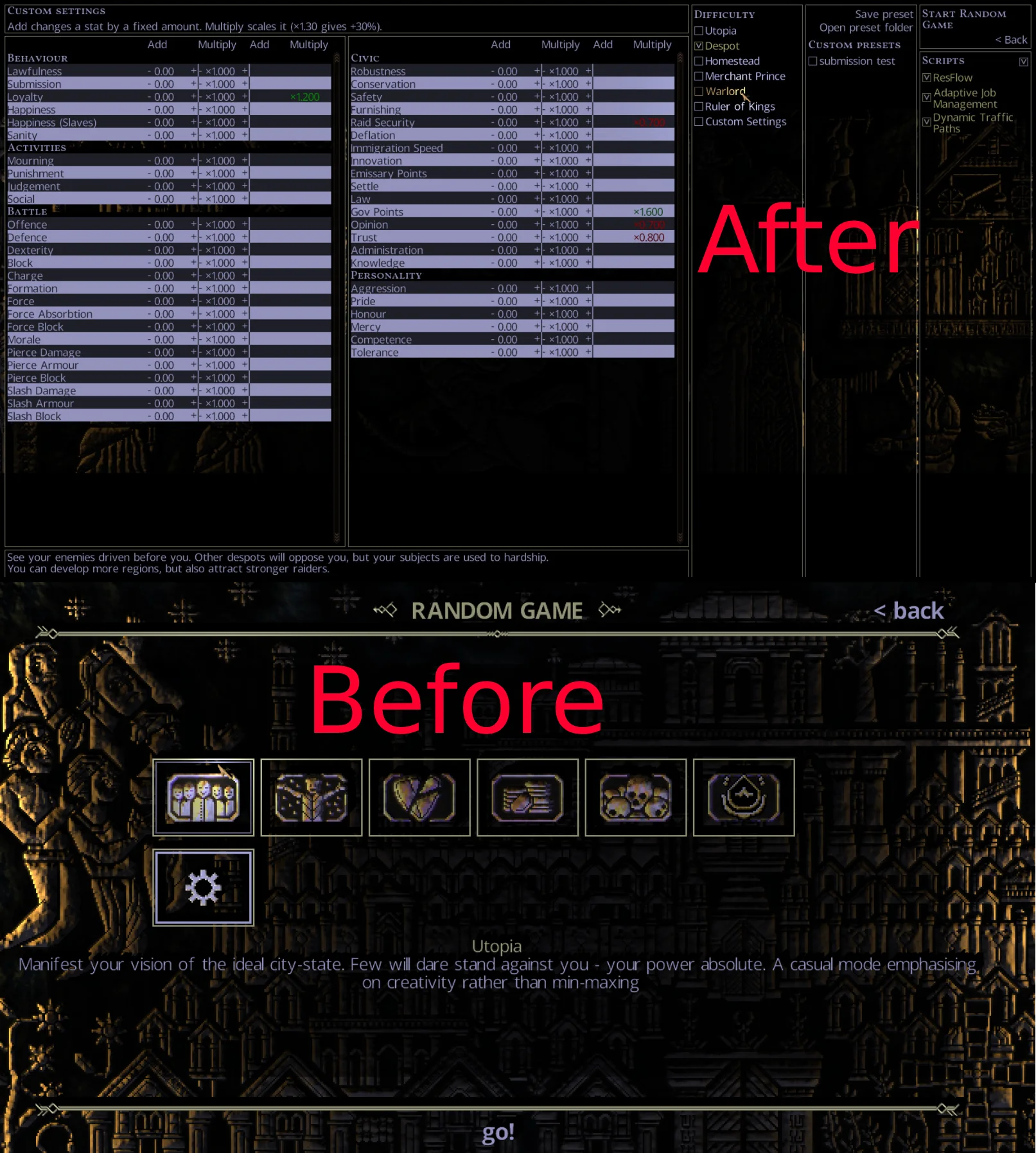
This mod overhauls the difficult choice menu for random games.
Features
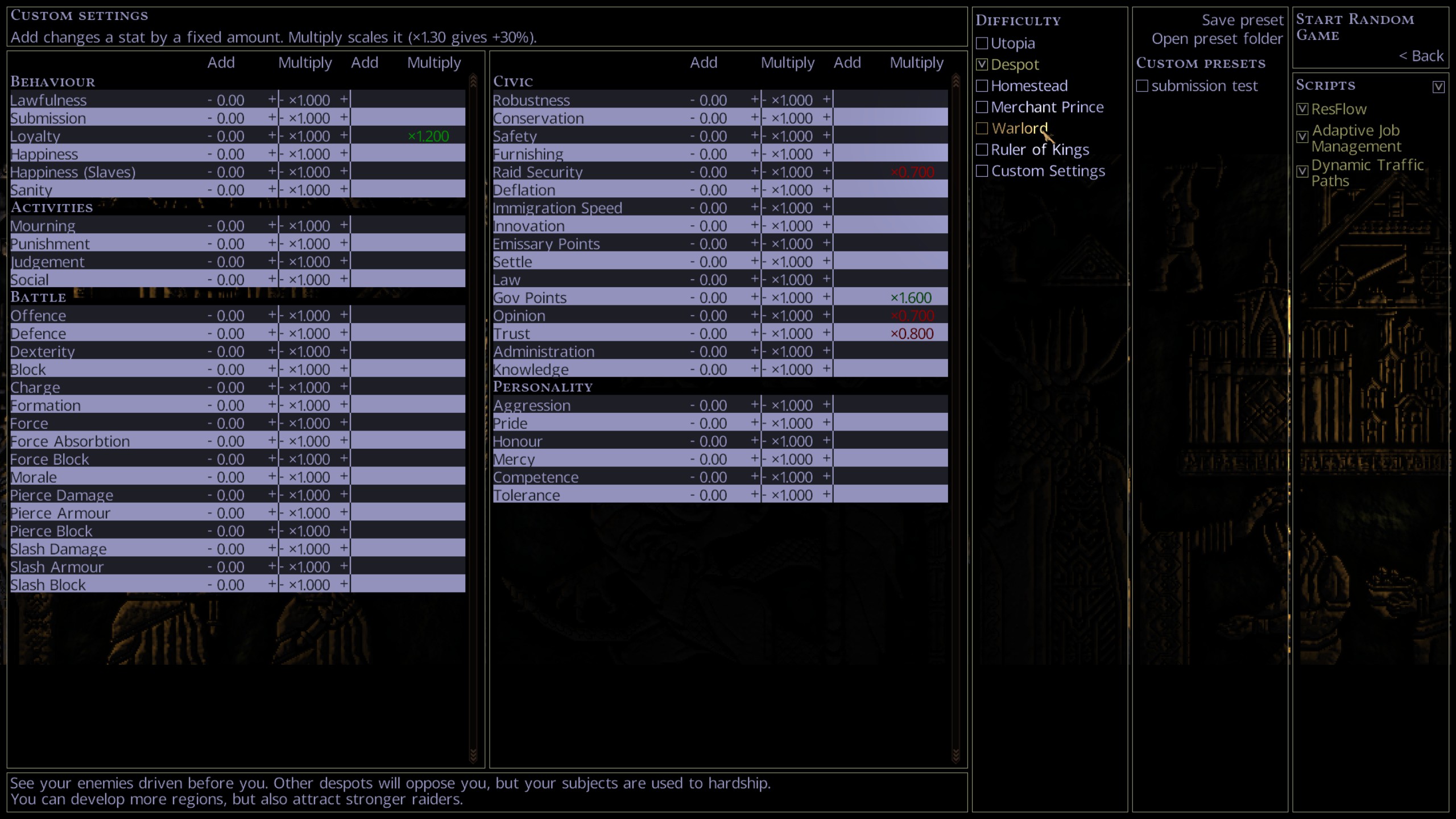
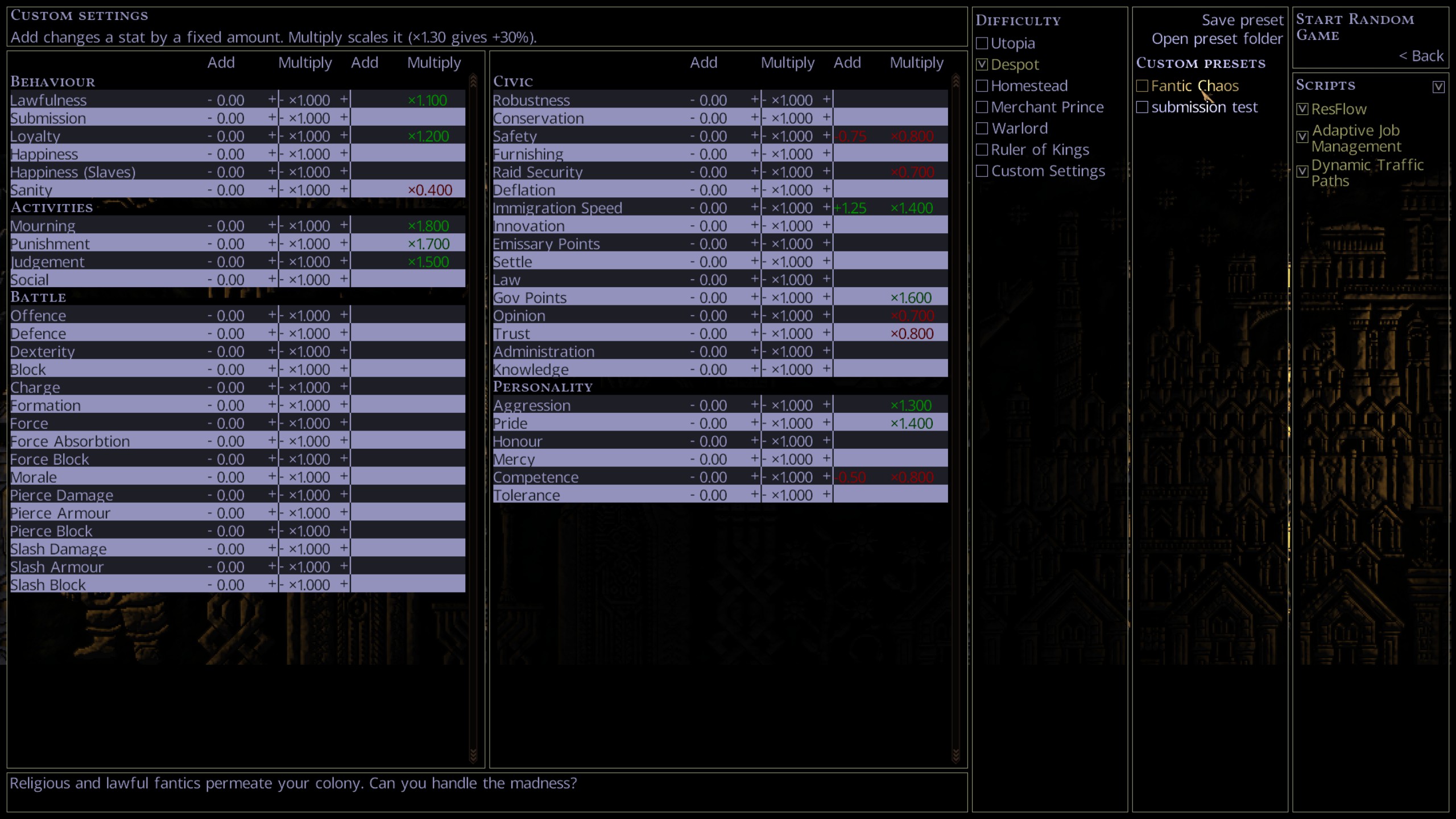
Now you can see exactly which paramters each official difficulty edits and save your own custom preset for editing. You can also see a clear comparison between the currently selected preset and the preset your mouse is hovering.
You could even share presets with others, they simply need to place the rpeset you give them in the custom preset directory on their machine.
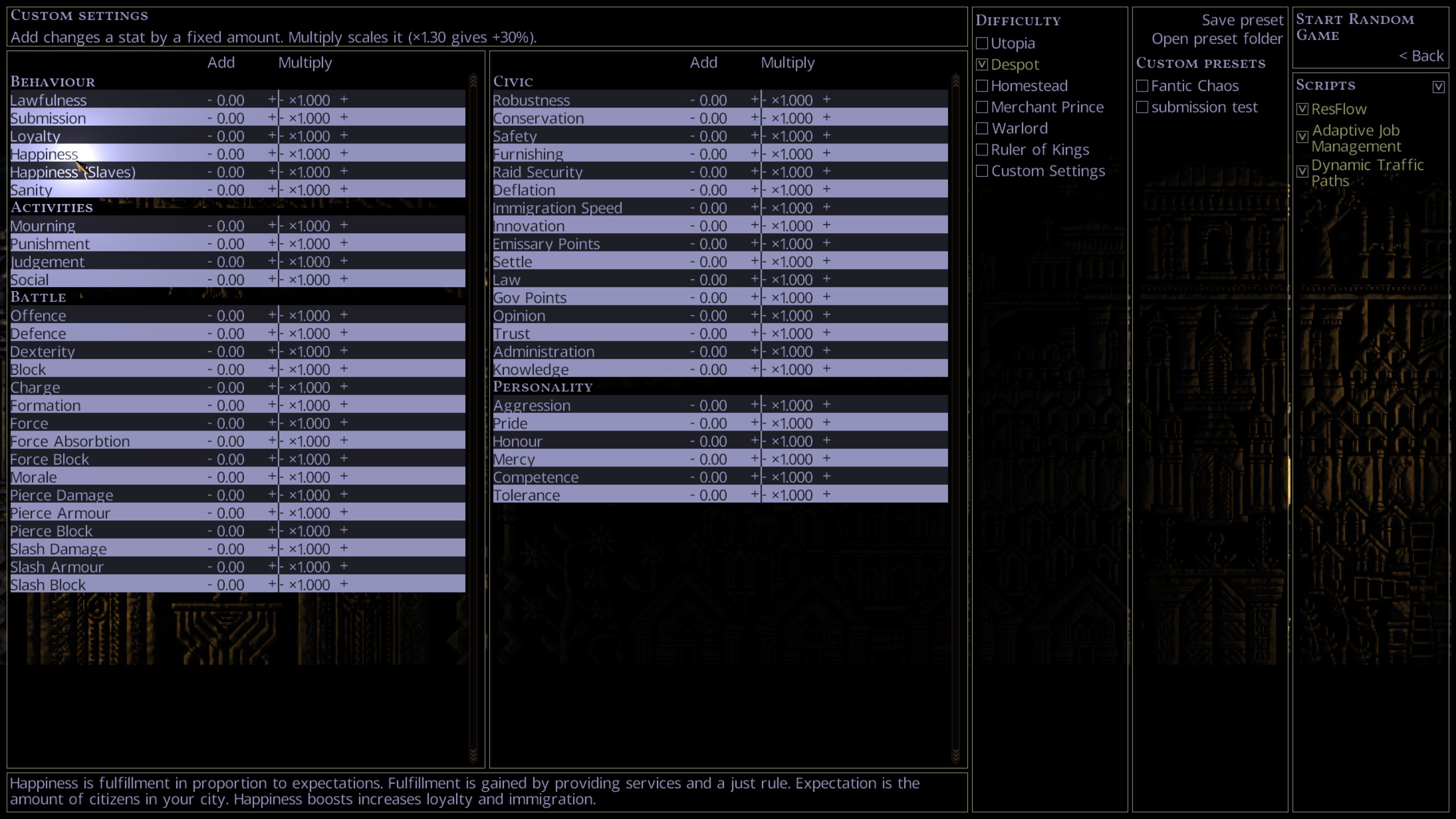
Addtionally the UI itself has been made far more practical. It uses the full height of the game window and splits the parameter list into 2, so msot modern monitors can see the whole list at once without scrolling.
I also took the liberty of setting scripts from mods to be enabled by default and added a button that toggles all scripts on or off.
Screenshots
Installation:
After downloading the file, extract it to the games mod folder:
Windows: %USERPROFILE%\AppData\Roaming\songsofsyx\mods (or C:\Users\<User>\AppData\Roaming\songsofsyx\mods)
macOS: ~/Library/Application Support/songsofsyx/mods
Linux: ~/.local/share/songsofsyx/mod
Uninstall:
Delete the mod from the above mod folder.
Optionally delete folder containing any custom presets made with this mod:
| Windows | %APPDATA%\songsofsyx\presets\Better Difficulty Presets
| macOS | ~/Library/Application Support/songsofsyx/presets/Better Difficulty Presets
| Native Linux / SteamOS | ~/.local/share/songsofsyx/presets/Better Difficulty Presets
Compatibility
This mod will likely cause issues with any other mod that edits the same UI screen.
Any other mod should work fine, even if it edits difficulties.
It should be safe to install or uninstall this mod during playthroughs, but this hasn’t been extensively tested.
This mod is confirmed working on windows 11 and will almost certainly work on win 10.
This mod theoretically supports linux and mac, but has not been tested on those systems.
Leave a Reply