Description
Manage your startup apps with ease.
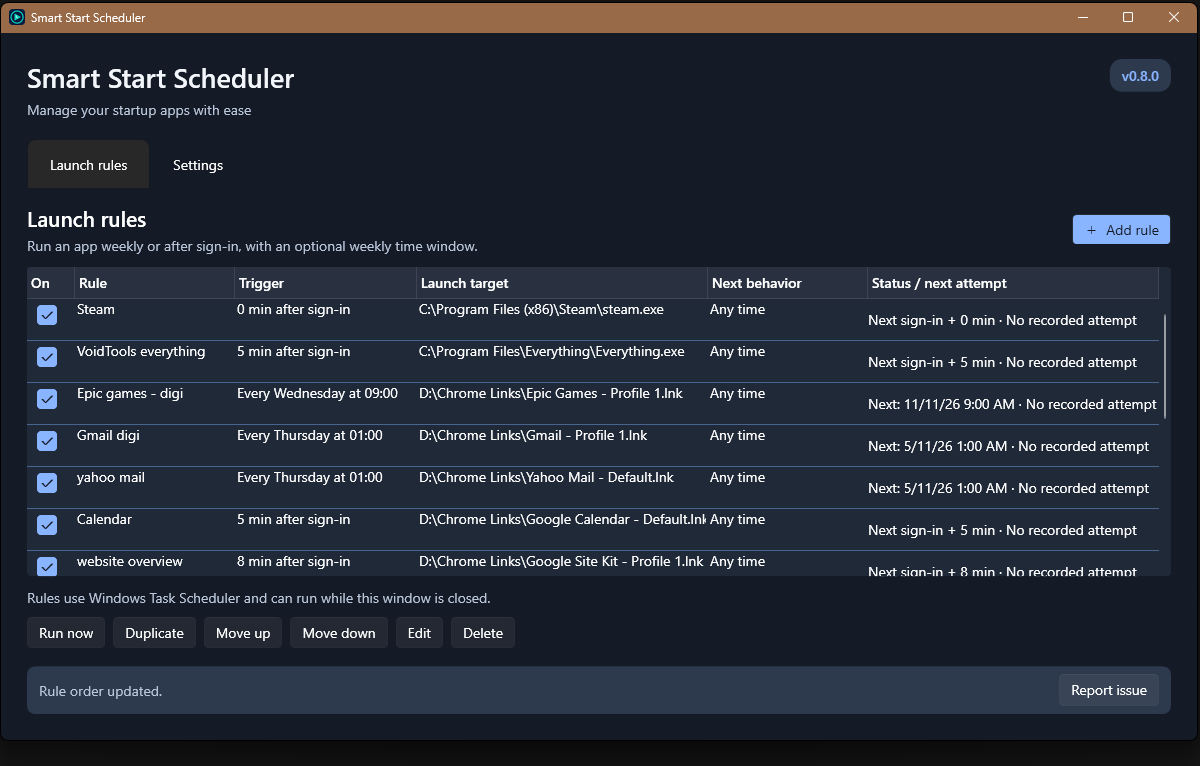
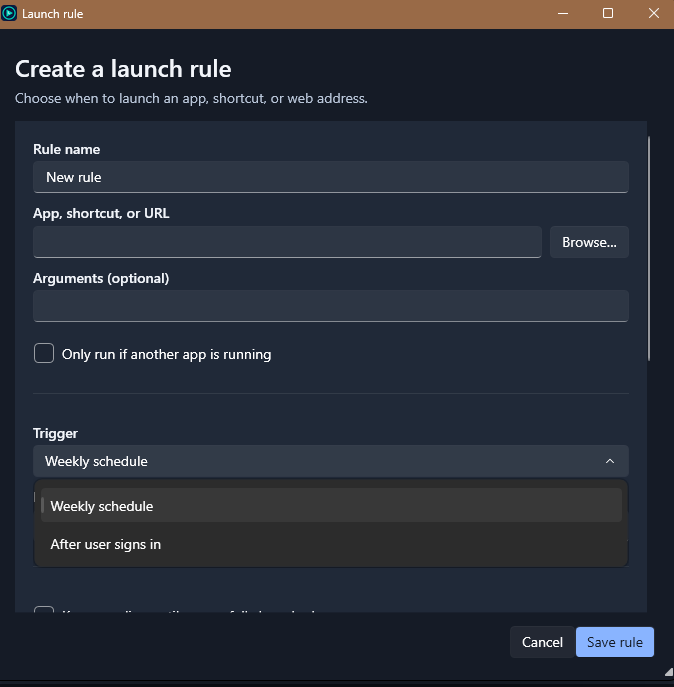
Open the apps and pages you need, when you need them. Set weekly launches, delay an app until after sign-in, and add conditions without working through Windows Task Scheduler yourself.
Feature examples:
- Open your weekly planning page every Monday at 9 am.
- Start an app five minutes after you sign in. Delay your less important apps, so more important ones can use your full system resources and start faster.
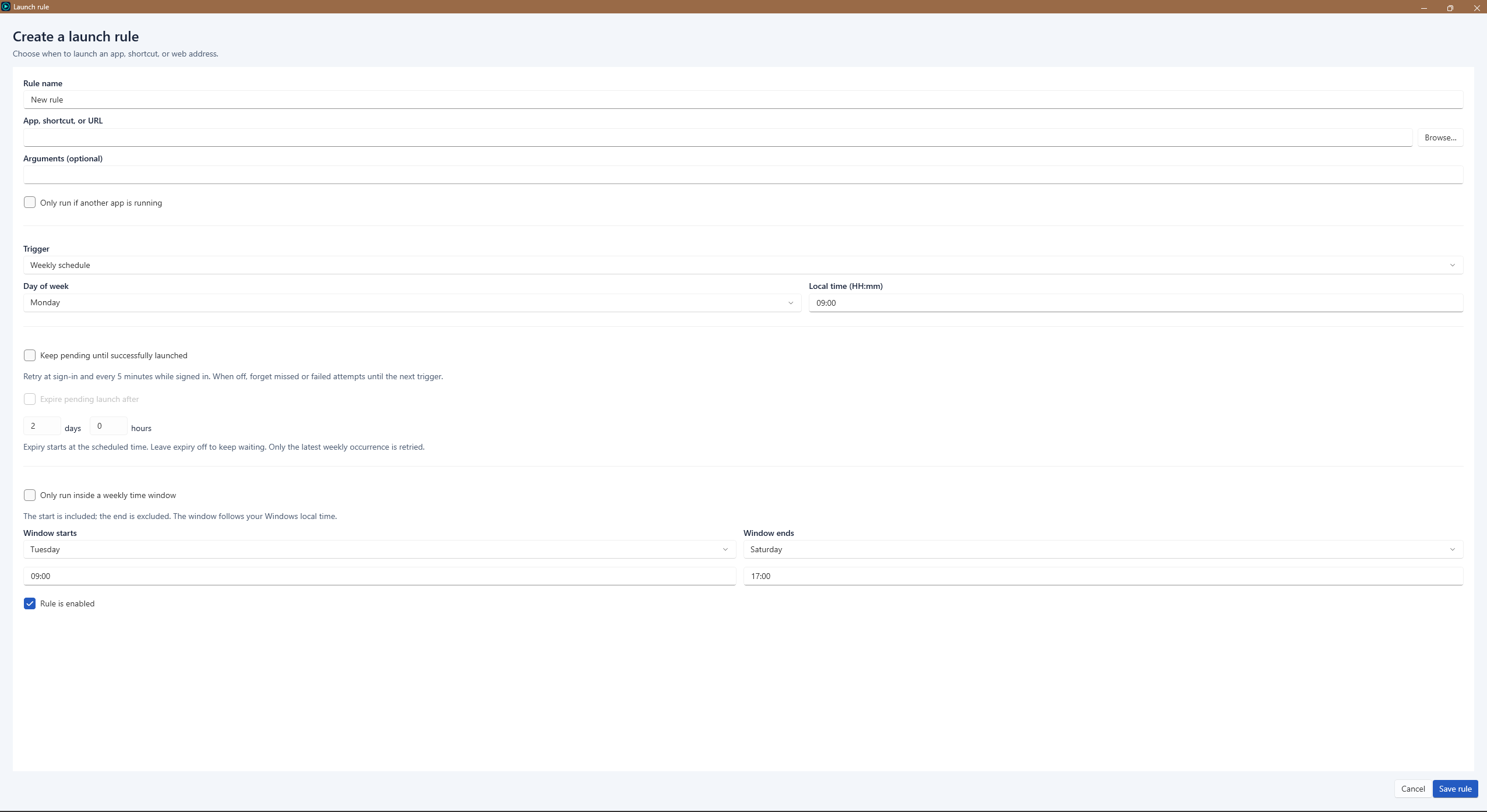
- Limit a rule to a weekly window, such as Tuesday 9 am through Saturday 5 pm. Set your work chats to only open during work hours.
- Require another app to be running first. For example, open your project notes only when your code editor is running.
- Keep a launch pending until it succeeds, with optional expiry.
- and more! want a feature added? leave a comment or send an email.
Practical controls
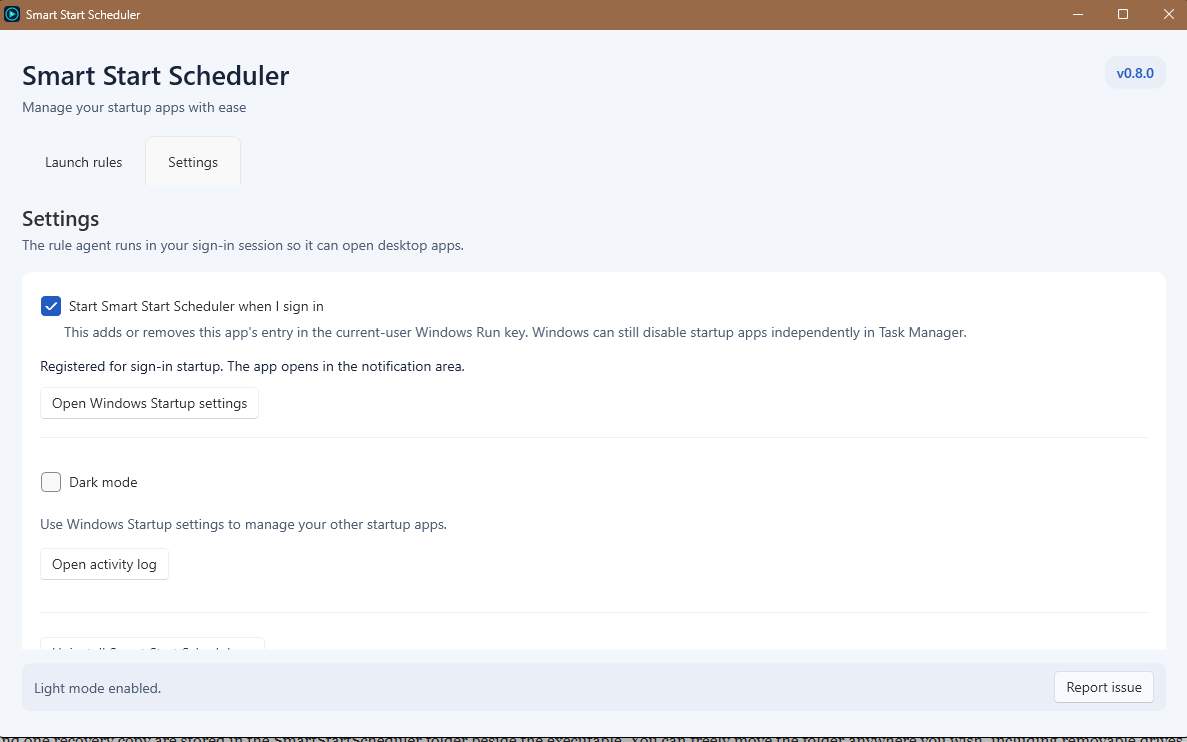
Create rules for executables, shortcuts and URLs. Duplicate and reorder your list, test a target with Run now, and see each rule’s next trigger and recorded status on one line. Light and dark modes are included. Rules use Windows Task Scheduler and can run while the manager is closed. They launch in your signed-in desktop session. List order is for organisation; it does not guarantee execution order.
Pricing
The program will be offered at a lower price (starting with the low low price of free!).
The price will increase as features are added and stability is confirmed.
You may choose to pay more to support My work by editing the price field before adding it to your cart.
Every purchase includes all future updates released for Smart Start Scheduler at no additional cost(this includes purchases while the program is free). Later price increases apply to new customers; existing customers do not need to buy again.
Installation
- Download the ZIP
- Extract it to a writable folder you intend to keep
- Open SmartStartScheduler.exe
- Configure it to your rpeferences
Settings, logs and one recovery copy are stored in the SmartStartScheduler folder beside the executable. You can freely move the folder anywhere you wish, including removable drives. No installation is required, this is a fully portable app.
The app has been tested on windows 11, but should theortetically work on windows 10 too. English is currently the only supplied UI language. Other startup apps are managed through Windows Startup settings.
Uninstallation
You can simply delete the app and it’s files/folder. However it is reccomended to use the apps uninstall system found in the settings tab, as it will undo any windows scheduling tasks handled by the app.
Feedback and support
Email [email protected] with feedback, bug reports or suggestions or comment here.
The ZIP includes an optional email template. Useful reports explain what you expected, what happened, and how to reproduce it. Include the app and Windows versions, exact errors, and a relevant screenshot or log excerpt if helpful. Remove personal information and secrets before sending anything.
Licence
By Digineaux. Supplied under the **DIGINEAUX SOFTWARE LICENSE Version 1.1**, included with the download. This is a custom licence: commercial use is permitted under its terms, standalone redistribution is restricted, and attribution requirements can apply to publicly distributed commercial work. Read the included licence for full terms and exceptions. Third-party components remain under their own licences. Applicable consumer rights remain protected.
Reviews
There are no reviews yet.